
Download Oppy – AI‑Powered Job Search Tool for Faster, Smarter Applications
Overview: Why Oppy Is Changing the Job‑Hunting Landscape
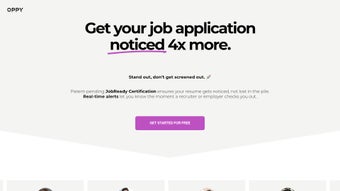
In today’s hyper‑competitive job market, standing out among hundreds of applicants is a constant challenge. Oppy addresses this pain point by combining cutting‑edge artificial intelligence with a suite of productivity‑boosting utilities designed specifically for job seekers. The platform’s patent‑pending JobReady Certification acts as a digital seal of approval, signalling to recruiters that a candidate’s resume has been vetted and optimized for maximum impact. By leveraging AI‑driven analysis, Oppy automatically tailors your resume to match the language, keywords, and formatting preferences of each job description you target, dramatically increasing the likelihood of passing automated applicant tracking systems (ATS).
Beyond resume optimization, Oppy introduces real‑time alerts that notify you the moment an employer views your application or profile. This instant feedback loop empowers you to follow up promptly, demonstrate genuine interest, and move the conversation forward before the opportunity slips away. The Chrome extension further streamlines the process, allowing you to discover, evaluate, and apply to relevant openings with just a few clicks, all while keeping a clear visual of each posting’s suitability based on AI‑generated scores.
Whether you’re a recent graduate, a seasoned professional pivoting to a new industry, or a freelancer seeking full‑time stability, Oppy’s comprehensive toolbox helps you stay organized, proactive, and visible throughout the entire job‑search journey. The platform’s free tier provides essential features, while premium upgrades unlock deeper analytics, unlimited resume certifications, and priority support—making Oppy a scalable solution for any career stage.
Key Features That Set Oppy Apart
- AI‑Powered Resume Tailoring: Upload a single master resume and let Oppy rewrite it for each job posting, ensuring optimal keyword density and format.
- JobReady Certification: Gain a pre‑certified badge that signals to recruiters your resume meets industry standards and is ready for immediate review.
- Real‑Time Application Alerts: Receive instant notifications when employers open your application, view your profile, or save your resume.
- Chrome Extension for Seamless Browsing: Identify matching opportunities directly from job boards, evaluate fit scores, and apply with one click.
- Personalized Recommendations: AI analysis suggests specific improvements—such as skill highlighting or experience ordering—to boost interview chances.
- Application Tracker Dashboard: Visualize the status of every submission, from “Sent” to “Interview Requested,” in a single, intuitive interface.
- Secure Cloud Storage: All resumes and application data are encrypted, ensuring privacy while allowing access from any device.
- Free Tier & Premium Options: Start with core functionalities at no cost, then upgrade for unlimited certifications, deeper analytics, and priority support.
Each feature is built around the core principle of reducing friction in the job‑search process. The AI engine continuously learns from successful placements, refining its suggestions to stay aligned with evolving hiring trends. Meanwhile, the JobReady Certification serves as a tangible proof point that your application meets professional standards—an advantage that many traditional resume builders simply cannot claim.
The Chrome extension, a standout component of Oppy’s ecosystem, works across popular job platforms such as LinkedIn, Indeed, and Glassdoor. By overlaying match scores directly onto listings, it saves you countless hours of manual filtering, letting you focus on the roles that truly align with your career goals. Combined with the real‑time alerts, you gain a proactive edge that turns passive job hunting into an active, data‑driven pursuit.
Installation, Setup & Compatibility: Getting Started in Minutes
Step‑by‑Step Installation Guide
Getting Oppy up and running is straightforward, whether you prefer a web‑based experience or the added convenience of the Chrome extension. Follow these steps to start optimizing your job search today:
- Create an Account: Visit oppy.com and sign up using your email or a Google account. A verification email will confirm your identity.
- Upload Your Master Resume: In the dashboard, click “Upload Resume” and select a PDF or DOCX file. Oppy’s AI will parse the document, extracting skills, experience, and education.
- Run the First Optimization: Choose a sample job posting, paste the description, and let Oppy generate a customized version of your resume. Review suggested edits and accept the ones that resonate.
- Install the Chrome Extension: Navigate to the Chrome Web Store link provided in your account settings, click “Add to Chrome,” and confirm the permissions.
- Configure Alerts: In the “Notifications” tab, toggle real‑time alerts on for email, desktop, or mobile push notifications.
- Start Applying: Browse job boards; the extension will highlight matches and enable one‑click applications directly from the listing.
System Requirements & Operating System Support
Oppy is a cloud‑native web application, meaning it runs on any modern browser without the need for heavy local installations. Supported environments include:
- Google Chrome (latest version) – required for the extension.
- Microsoft Edge, Mozilla Firefox, Safari – full web dashboard functionality.
- Operating Systems: Windows 10/11, macOS 10.15+, Linux distributions with a compatible browser, Android 8.0+ (via mobile browser), iOS 13+ (via Safari).
Because all processing occurs on Oppy’s secure servers, your device’s performance has minimal impact on the AI analysis speed. The platform also adheres to GDPR and CCPA standards, ensuring that personal data remains encrypted both at rest and in transit.
For organizations or power users, Oppy offers an API endpoint that can be integrated into applicant tracking systems or HR portals, extending its capabilities beyond individual job seekers. Documentation for the API is available in the “Developers” section of the website.
Pros, Cons & Frequently Asked Questions
Pros
- AI‑driven resume customization saves time and boosts ATS compatibility.
- JobReady Certification provides a credible, marketable badge for recruiters.
- Real‑time alerts keep candidates informed and enable timely follow‑ups.
- Chrome extension streamlines job discovery and one‑click applications.
- Secure cloud storage protects personal data while allowing cross‑device access.
- Free tier offers essential features; premium upgrades add depth without overwhelming beginners.
Cons
- Premium features (unlimited certifications, advanced analytics) require a subscription.
- AI suggestions may occasionally need manual tweaking for niche industries.
- Extension currently supports only Chrome; users of other browsers must rely on the web interface.
- Initial resume parsing can be slower for extremely large or heavily formatted documents.
Frequently Asked Questions
Is Oppy free to use?
Yes, Oppy offers a free tier that includes basic AI resume tailoring, real‑time alerts, and the Chrome extension. Premium plans unlock unlimited JobReady Certifications, deeper analytics, and priority support.
How does the JobReady Certification work?
After Oppy’s AI optimizes your resume, it runs a series of quality checks—keyword relevance, formatting standards, and ATS compatibility. If the resume passes, it receives a digital JobReady badge that you can display on LinkedIn, personal websites, or within the Oppy dashboard.
Can I use Oppy on mobile devices?
Absolutely. The web application is fully responsive, and you can access all core features from Android or iOS browsers. Push notifications are supported on both platforms for real‑time alerts.
Does Oppy store my personal data securely?
All data is encrypted using AES‑256 at rest and TLS 1.3 in transit. Oppy complies with GDPR, CCPA, and other major privacy regulations, ensuring your information remains private and protected.
What job boards does the Chrome extension support?
The extension integrates with LinkedIn, Indeed, Glassdoor, Monster, and any site that follows standard HTML job‑listing structures. Future updates will add support for niche industry boards.
Conclusion: Take Control of Your Career with Oppy
In an era where every click, keyword, and timing decision can influence hiring outcomes, Oppy delivers a powerful combination of AI intelligence, real‑time visibility, and user‑friendly tools that turn a daunting job search into a strategic, data‑driven experience. By automating resume customization, providing credible certifications, and keeping you instantly informed of recruiter activity, Oppy not only saves you hours of manual effort but also significantly improves your odds of landing interviews.
Whether you’re just starting out or looking to make a career pivot, the free version of Oppy gives you immediate value, while the premium tier scales with your ambitions. The seamless integration with popular job boards via the Chrome extension means you can stay in the flow, applying to the right opportunities at the right time without toggling between multiple platforms.
Ready to supercharge your job hunt? Download Oppy now, claim your JobReady Certification, and experience a smarter, faster path to the position you deserve.



.png)



